

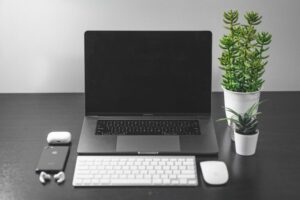
Creating a home office that balances comfort and productivity can make a significant difference in your work-from-home experience. Whether you’re starting from scratch or updating your current setup, the right environment helps you stay focused and feel relaxed. Here are practical tips to help you design a cozy and efficient home office space.
Choose the Right Location
Your workspace location sets the foundation for a good home office.
– Natural Light: Pick a spot near a window if possible. Natural light enhances mood and helps reduce eye strain.
– Quiet Area: Choose a quiet corner or room away from household noise to maintain concentration.
– Space Availability: Ensure there’s enough room for your desk, chair, and storage without feeling cramped.
Invest in Ergonomic Furniture
Comfort is key during long working hours.
– Chair: Choose an adjustable chair with good lumbar support to reduce back pain.
– Desk: Select a desk at the right height so your arms rest comfortably while typing.
– Dual-purpose Furniture: Consider desks with built-in storage or adjustable height options to maximize space and comfort.
Personalize with Cozy Touches
Add elements that make the space inviting without cluttering your work area.
– Soft Textiles: A small rug, cushions, or a throw blanket can add warmth.
– Plants: Indoor plants improve air quality and create a calming atmosphere.
– Lighting: Use a desk lamp with adjustable brightness and warm-toned bulbs to reduce eye strain.
Organize Efficiently
A tidy workspace encourages productivity and reduces distractions.
– Declutter Regularly: Keep only essential items on your desk and store the rest.
– Storage Solutions: Use shelves, drawers, or file organizers to manage paperwork and supplies.
– Cable Management: Use clips or sleeves to organize cords and prevent tangles.
Optimize Technology Setup
Having the right tech makes work smoother.
– Reliable Internet: Ensure your workspace has a strong Wi-Fi connection for video calls and downloads.
– Monitor Setup: Use an external monitor if you work on a laptop to reduce neck and eye strain.
– Accessories: Invest in a good keyboard, mouse, and headset to improve comfort and efficiency.
Create a Routine and Boundaries
Designing your physical space is important, but so is managing your work habits.
– Designated Work Hours: Set clear working times to maintain balance between work and personal life.
– Break Space: Have a separate area to relax during breaks to help you recharge.
– Minimize Distractions: Use noise-cancelling headphones or apps that block distracting websites if needed.
Add Inspiration and Motivation
Your surroundings can influence your mindset.
– Vision Board: Display goals, motivational quotes, or images that inspire you.
– Artwork: Choose art that brings you joy or stimulates creativity.
– Color Choices: Use calming or energizing colors depending on what helps you focus (e.g., soft blues for calm, yellows for creativity).
Maintain Comfort and Air Quality
A fresh, comfortable environment supports health and productivity.
– Ventilation: Open windows or use air purifiers to keep the air fresh.
– Temperature Control: Use fans, heaters, or air conditioners as necessary to maintain a comfortable temperature.
– Hydration Station: Keep a water bottle nearby to stay hydrated throughout the day.
Regularly Refresh Your Space
Updating your home office keeps it appealing and functional.
– Seasonal Changes: Rotate textiles or décor to suit the season for a fresh feel.
– Reassess Layout: Occasionally rearrange furniture to find more efficient setups.
– Upgrade Equipment: Replace or update office technology and furniture as needed.
—
By thoughtfully combining comfort, organization, and personalization, your home office can become a space where you enjoy working and achieve your goals. Start small with a few changes and build your perfect workspace over time.